Mean Absolute Deviation Calculator Example (With Full Worked Steps)
This guide walks through the mean absolute deviation (MAD) from start to finish using real numbers. You will see the formula, each step written out, two complete examples you can check by hand, the common mistakes that produce wrong answers, and how to verify a result from a mean absolute deviation calculator. By the end you will be able to compute MAD for any data set — by hand or with a tool — and know when the answer is right.
Last reviewed: · Approximate reading time: 9 minutes
What is mean absolute deviation?
Mean absolute deviation is the average distance between each value in a data set and the mean of that data set. In plain words: it tells you how spread out the numbers are around their center. A small MAD means the values cluster tightly around the mean. A large MAD means they scatter widely.
The word “absolute” is important. Distances are measured without a minus sign, because a value 5 below the mean is just as far from the mean as a value 5 above it. If you added the signed distances instead of the absolute distances, they would always sum to zero — that is a property of the mean — and the spread would vanish. Taking the absolute value keeps every distance positive so they can be averaged.
The formula is short. In symbols:
MAD = ( |x₁ − x̄| + |x₂ − x̄| + … + |xₙ − x̄| ) ÷ n
In words: subtract the mean from each value, drop any minus sign, add those distances together, and divide by the number of values.
What each symbol means
- x̄ (say “x bar”) — the mean of the data set.
- xᵢ — one individual value in the data set.
- |xᵢ − x̄| — the absolute distance between that value and the mean.
- Σ (sigma) — “add them all up.”
- n — how many values are in the data set.
The four steps, in order
- Find the mean. Add every value and divide by how many values there are.
- Find each distance. Subtract the mean from each value and drop the minus sign.
- Add the distances. Sum all the absolute distances.
- Divide by n. Divide the total by the number of values. That is the MAD.
The order matters. If you round the mean too early, the distances will be slightly off and the final MAD will be wrong. Keep the full-precision mean until the last step.
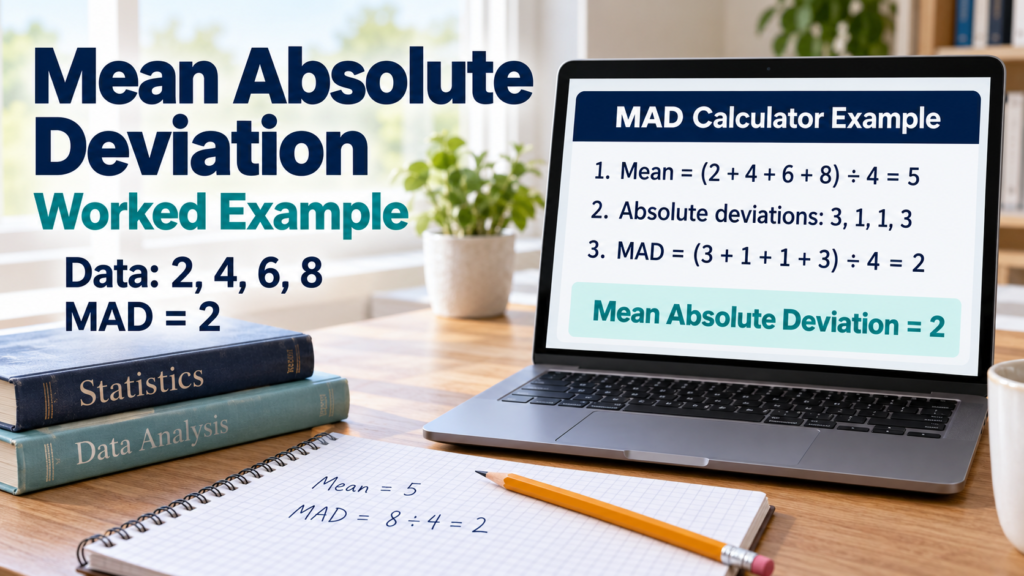
Worked example 1: MAD of 2, 4, 6, 8
This is the cleanest example to start with: four small even numbers, a whole-number mean, and a whole-number answer.
Step 1 — Find the mean
Add the values: 2 + 4 + 6 + 8 = 20. Divide by the count (4 values): 20 ÷ 4 = 5. The mean is 5.
Step 2 — Find each distance from the mean
For each value, subtract 5 and take the absolute value:
- |2 − 5| = |−3| = 3
- |4 − 5| = |−1| = 1
- |6 − 5| = |+1| = 1
- |8 − 5| = |+3| = 3
Step 3 — Add the distances
3 + 1 + 1 + 3 = 8.
Step 4 — Divide by the number of values
8 ÷ 4 = 2.
Answer: the mean absolute deviation of 2, 4, 6, 8 is 2.
Interpretation: on average, each value sits 2 units away from the mean. You can confirm this by checking the original data — the values 2 and 8 are 3 away, and 4 and 6 are 1 away, so the average distance is (3 + 1 + 1 + 3) ÷ 4 = 2. That matches.
Worked example 2: MAD of 1, 2, 3 (a fractional answer)
Not every MAD is a whole number. This example shows what to do when the division does not come out evenly — a common point of confusion for students.
Step 1 — Find the mean
1 + 2 + 3 = 6. 6 ÷ 3 = 2. The mean is 2.
Step 2 — Find each distance
- |1 − 2| = 1
- |2 − 2| = 0
- |3 − 2| = 1
Step 3 — Add the distances
1 + 0 + 1 = 2.
Step 4 — Divide by the number of values
2 ÷ 3 = 2/3 ≈ 0.666667.
Answer: the mean absolute deviation of 1, 2, 3 is 2/3 (about 0.666667).
A distance of 0 is allowed and is common — it simply means that value equals the mean. Do not skip it. The count n stays 3, not 2.
Worked example 3: MAD with negative numbers
Negative values are where most mistakes happen. The absolute-value step handles them, but the mean can also be negative, so subtract carefully.
Data set: −4, −1, 0, 5
Step 1 — Find the mean
−4 + (−1) + 0 + 5 = 0. 0 ÷ 4 = 0. The mean is 0.
Step 2 — Find each distance
- |−4 − 0| = 4
- |−1 − 0| = 1
- |0 − 0| = 0
- |5 − 0| = 5
Step 3 — Add the distances
4 + 1 + 0 + 5 = 10.
Step 4 — Divide by n
10 ÷ 4 = 2.5.
Answer: the mean absolute deviation of −4, −1, 0, 5 is 2.5.
A side-by-side summary of the three examples
| Data set | Mean (x̄) | Absolute distances | Sum of distances | n | MAD |
|---|---|---|---|---|---|
| 2, 4, 6, 8 | 5 | 3, 1, 1, 3 | 8 | 4 | 2 |
| 1, 2, 3 | 2 | 1, 0, 1 | 2 | 3 | 2/3 ≈ 0.6667 |
| −4, −1, 0, 5 | 0 | 4, 1, 0, 5 | 10 | 4 | 2.5 |
Common mistakes (and how to avoid them)
- Forgetting the absolute value. If you add signed distances, the total is always 0. Every distance in step 2 must be non-negative.
- Rounding the mean too early. Keep full precision during steps 1–3 and round only the final MAD. Rounding 2/3 to 0.67 before finishing can shift the last digit.
- Dividing by the wrong count. n is how many values are in the data set, not how many non-zero distances there are. A distance of 0 still counts.
- Using n − 1 instead of n. Sample standard deviation uses n − 1, but mean absolute deviation uses n. Mixing the two formulas is a frequent error.
- Subtracting the wrong way. Always do value minus mean. |mean − value| gives the same number, but consistency prevents sign slips with negative values.
- Treating MAD like standard deviation. They measure the same thing (spread) but use different math and give different numbers. See the comparison below.
MAD vs. standard deviation vs. variance
These three numbers all describe spread. They are not interchangeable.
| Measure | Formula | What it does | When to use it |
|---|---|---|---|
| Mean absolute deviation | Σ|xᵢ − x̄| ÷ n |
Averages absolute distances. Easy to explain in plain words. | Introductory statistics, teaching spread, quick checks. |
| Variance | Σ(xᵢ − x̄)² ÷ n |
Averages squared distances. Not in the same units as the data. | Building up to standard deviation; statistical theory. |
| Standard deviation | √variance |
Averages squared distances, then takes the square root so units match. | Most science and social-science work. |
Because standard deviation squares before averaging, large distances count much more than small ones. MAD treats every distance the same. That makes MAD easier to explain — and less sensitive to one extreme value.
How to check your answer with a calculator
The MathStatCalc mean absolute deviation calculator follows exactly the four steps shown in this guide. To verify an example:
- Open the calculator page.
- Type the data set into the input field, separated by commas. For example:
2, 4, 6, 8. - Run the calculation.
- Compare the final answer with the values in this guide: 2, 2/3, and 2.5.
- Compare the intermediate values — mean, distances, sum — with the ones written above. Every one should match.
If a step does not match, the data set was typed incorrectly (for example, a missing comma, a minus sign dropped, or an extra value). Fix the input and run it again.
Reference values you can verify by hand
Use these small fixtures to test any MAD implementation, including the one on this site:
- 1, 2, 2, 7 → mean 3, distances 2, 1, 1, 4, sum 8, MAD = 8 ÷ 4 = 2.
- 1, 2, 3 → mean 2, distances 1, 0, 1, sum 2, MAD = 2 ÷ 3 = 2/3.
- 2, 4, 6, 8 → mean 5, distances 3, 1, 1, 3, sum 8, MAD = 8 ÷ 4 = 2.
- −4, −1, 0, 5 → mean 0, distances 4, 1, 0, 5, sum 10, MAD = 10 ÷ 4 = 2.5.
- 5, 5, 5, 5 → mean 5, distances 0, 0, 0, 0, MAD = 0 (no spread at all).
If your tool gives a different value for any of these, the tool is wrong — not the fixture. Report it through the contact page.
Frequently asked questions
What is the difference between mean deviation and mean absolute deviation?
They are the same thing. “Mean deviation” is a shorter name for “mean absolute deviation.” Both mean the average absolute distance from the mean.
Can mean absolute deviation be zero?
Yes. MAD is 0 only when every value in the data set equals the mean — in other words, when all values are identical. For example, 5, 5, 5, 5 has MAD = 0 because nothing is spread out.
Can mean absolute deviation be negative?
No. Distances are measured with absolute value, so every term in the sum is zero or positive, and dividing a non-negative sum by a positive n gives a non-negative result. MAD is always greater than or equal to zero.
Does MAD use n or n − 1?
MAD uses n — the number of values in the data set. The n − 1 denominator appears in sample variance and sample standard deviation, not in mean absolute deviation. Use n for MAD.
What does a large MAD tell you?
A large MAD means the values are spread far from the mean on average. A small MAD means they cluster tightly. There is no fixed threshold — “large” is relative to the size of the data and to other data sets you are comparing.
Is MAD affected by outliers?
Yes, but less than standard deviation. Because MAD averages absolute distances (not squared distances), one extreme value pulls the mean and the MAD in the same direction, but it does not blow up the answer the way it does with standard deviation.
Can I compute MAD for data with decimals or fractions?
Yes. The four steps work with any real numbers. The mean may be a fraction or decimal, and the distances may be too. Keep full precision through step 3 and round only at the end.
How is MAD different from median absolute deviation?
Mean absolute deviation uses the mean. Median absolute deviation (MAD-med, sometimes written MAD) uses the median and takes the median of the absolute deviations. They are different statistics. This guide is about the mean-based version.
Related guides and calculators
- Mean absolute deviation calculator — the tool that follows this guide step by step.
- Mean, median and mode calculator — find the center before measuring spread.
- Standard deviation calculator — the squared-distance alternative.
- Variance calculator — the value inside standard deviation.
- All statistics calculators
- Angle between two vectors — worked example guide
- Guides
Method and accuracy notes
This guide was checked against hand-computed values and the MathStatCalc calculator on . The calculator keeps full precision through the intermediate steps and rounds only the final answer to six decimal places, with trailing zeros removed. See the methodology page for the full test and correction process, or email contact@mathstatcalc.com if you find an error.